The best wireless earbuds for work balance clear calls and comfortable listening with features that suit your setup, from multipoint pairing to an open-ear fit. Choose based on whether you need to switch between a laptop and phone, hear your surroundings, or reduce nearby noise during focused work.
Quick Top Products
SHOKZ OpenFit 2
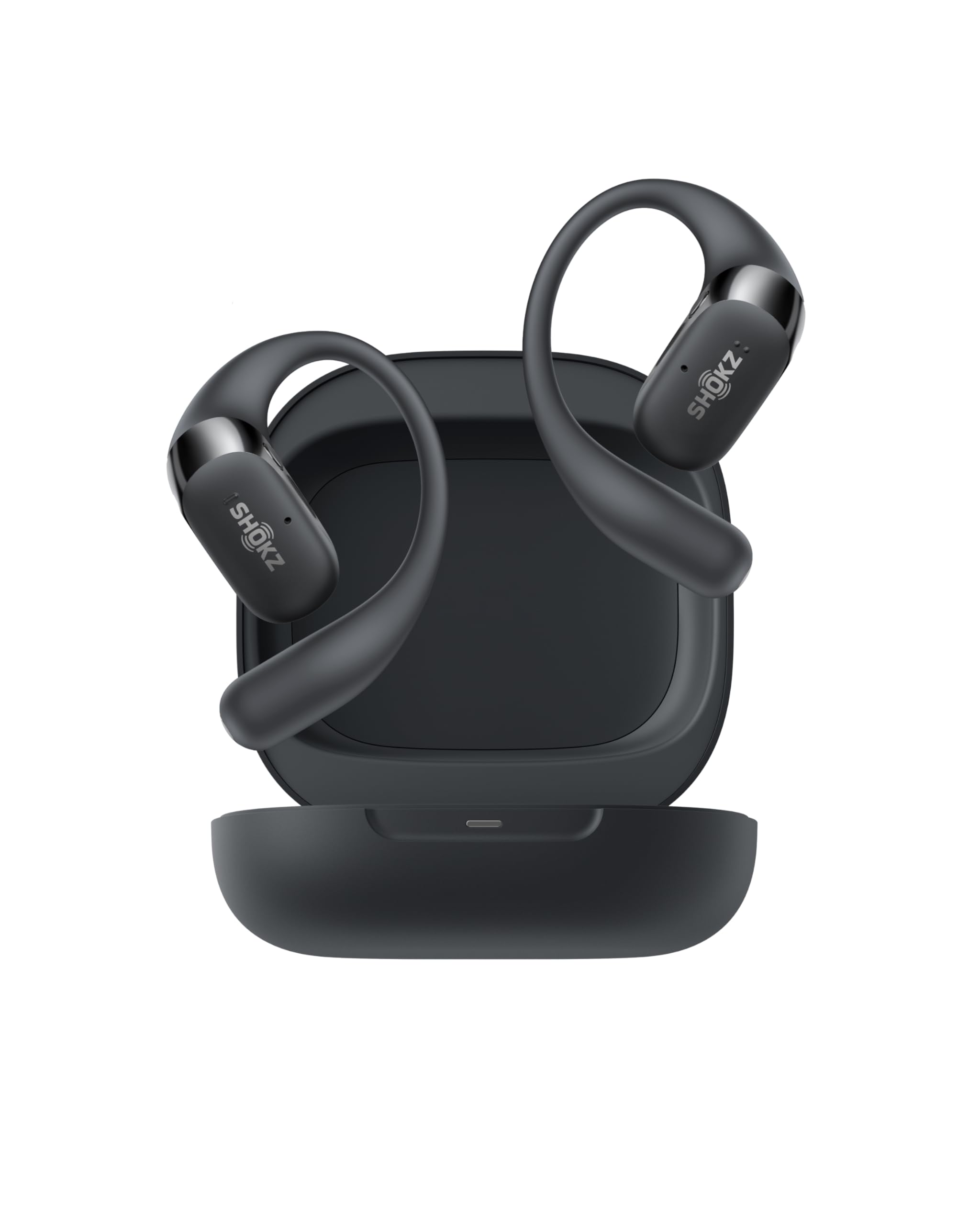
- Connects with two paired devices for switching between work and personal audio.
- Open-ear listening leaves you connected to your surroundings.
- Physical buttons manage calls, volume, and tracks.
Best For: People who move between computer calls, phone calls, and other listening throughout the day.

Rythflo WH03 Neckband Earbuds
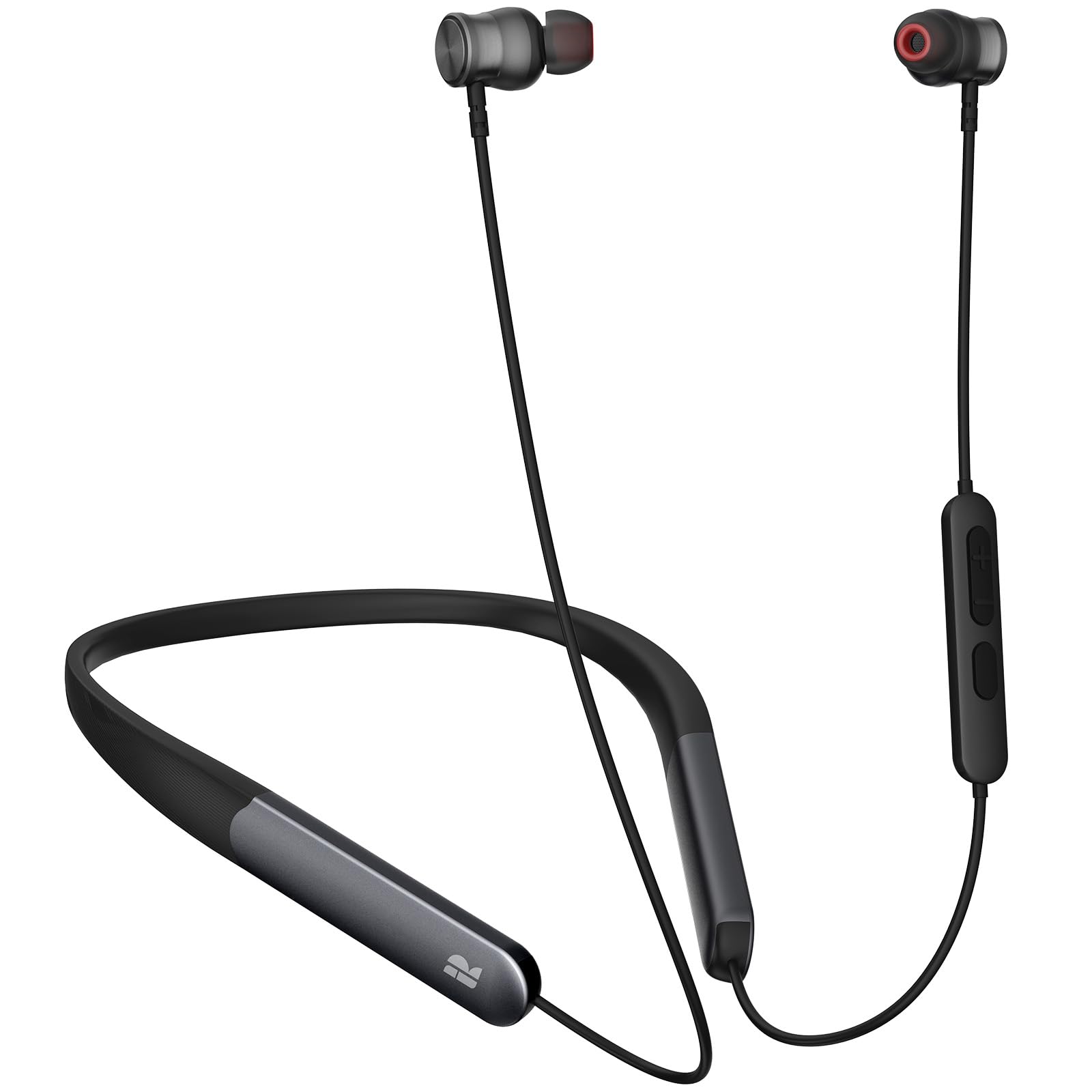
- Uses a magnetic neckband style.
- Supports Bluetooth 5.3 connections.
- Offers up to 150 hours of playtime.
Best For: Listeners who want a neckband style and long stated playback between charges.
ISOtunes FREE 2.0
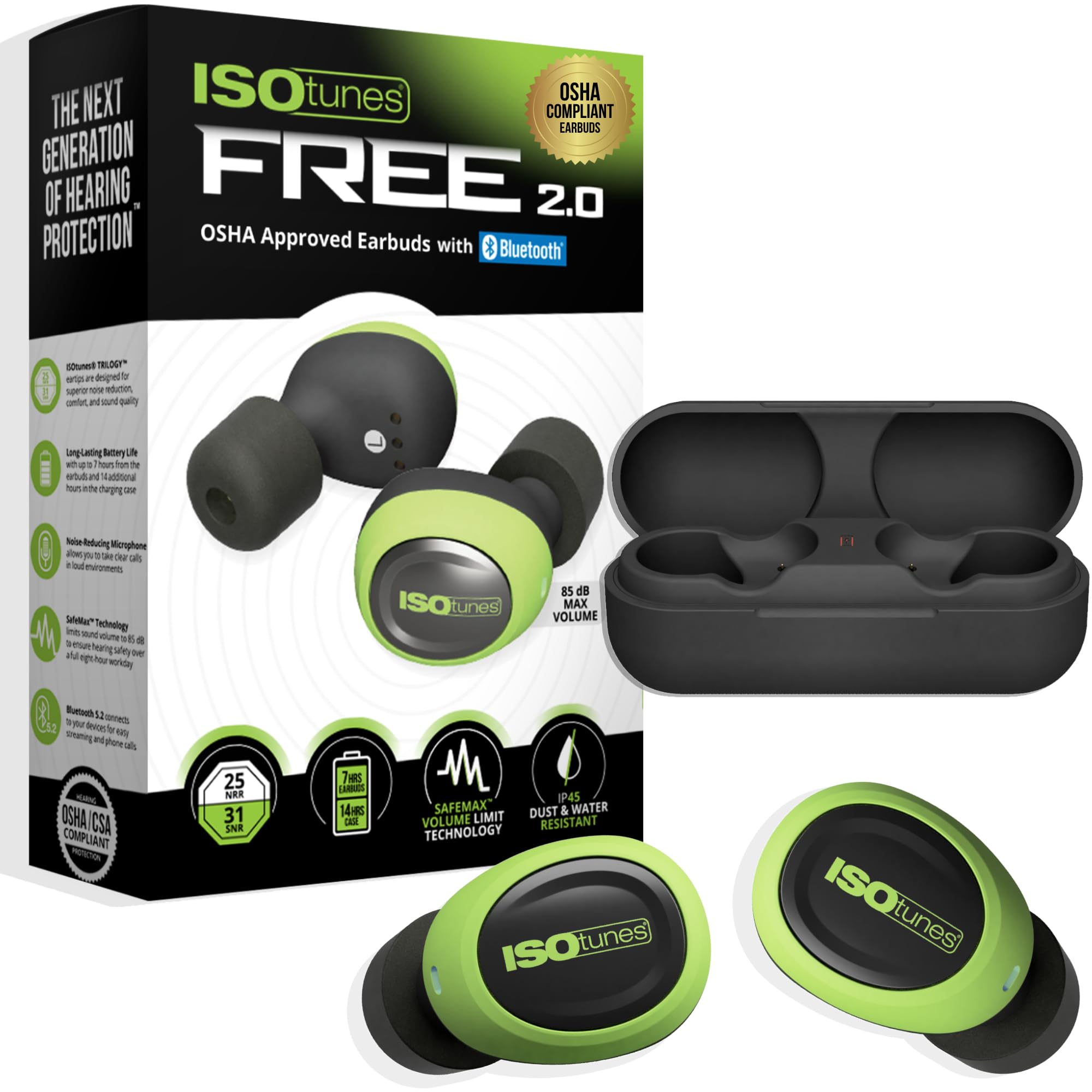
- Includes foam and silicone eartip options.
- Has a 25 dB NRR and an 85 dB audio limit.
- The case adds 14 hours to seven hours of continuous battery life.
Best For: Workers who need Bluetooth audio and hearing protection features in loud environments.
SHOKZ OpenDots ONE
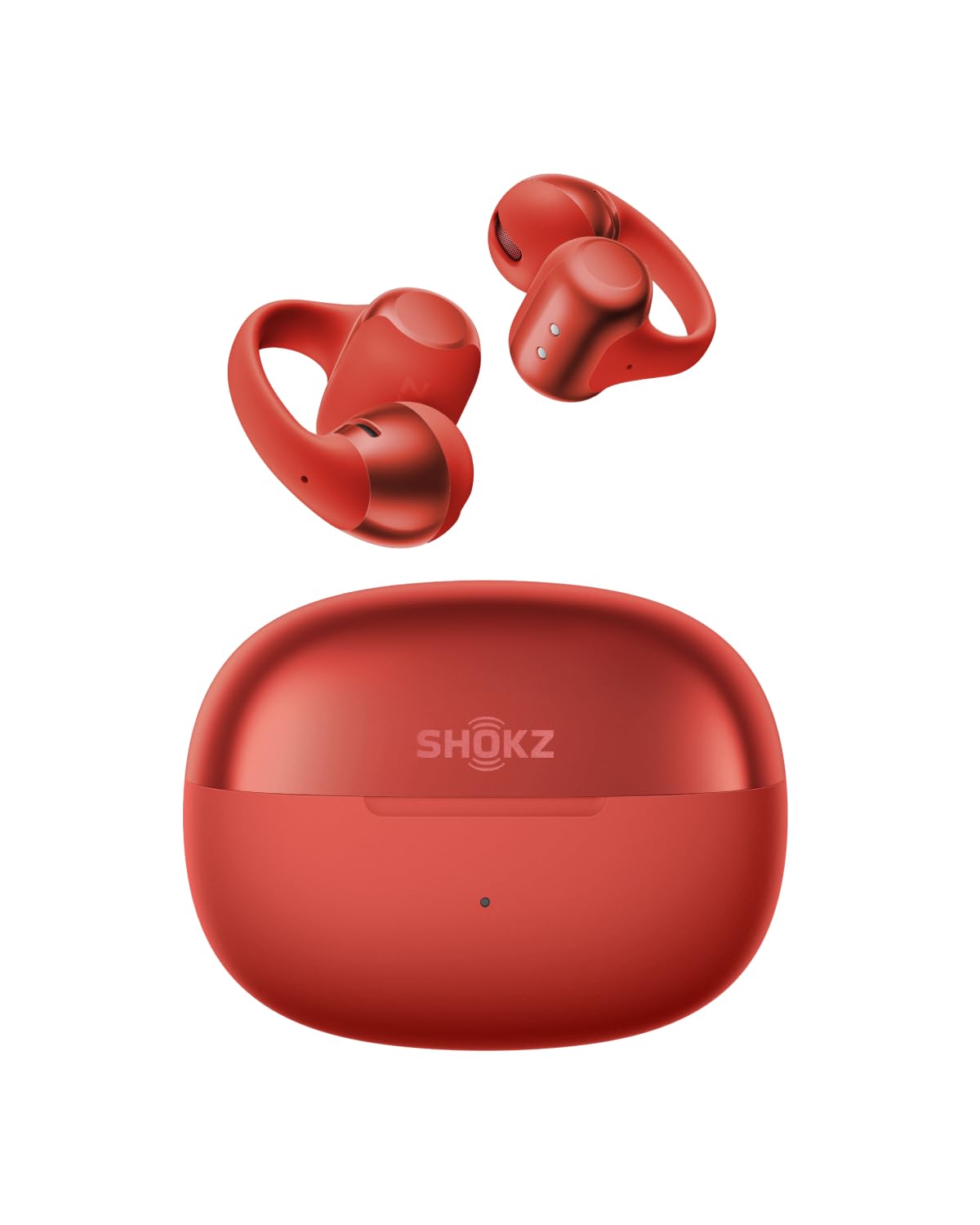
- Clip-on fit uses a flexible plate and silicone grip.
- Each earbud can be worn on either ear.
- Pairs with two devices through multipoint.
Best For: People who prefer a clip-on design that leaves the ear canal open.
SHOKZ OpenDots 2
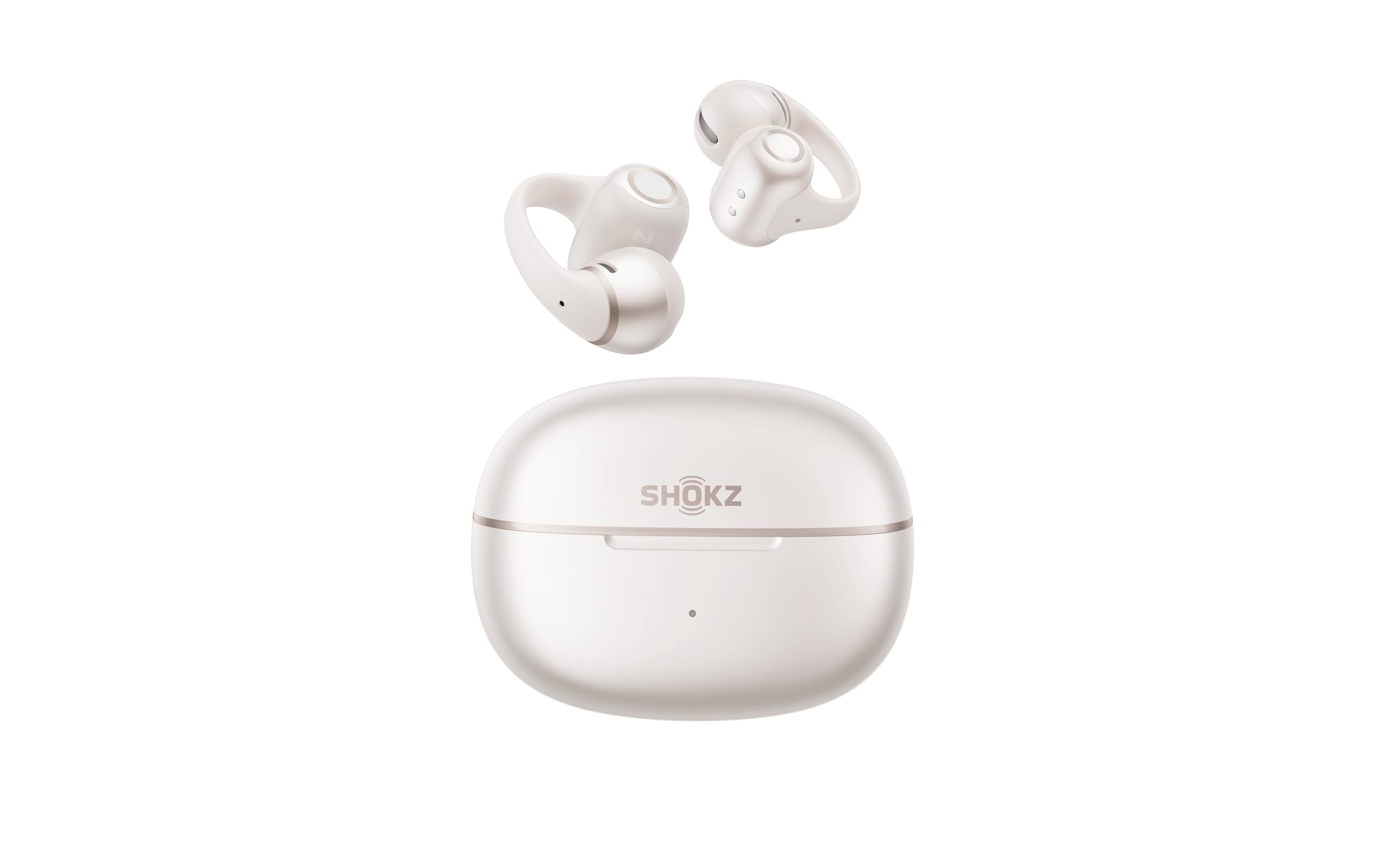
- Open-ear clip-on design uses a flexible joint for fit.
- Three microphones support calls.
- Multipoint pairing is supported.
Best For: Open-ear listeners who want multipoint pairing and physical pinch controls.
JLab Go Pop+
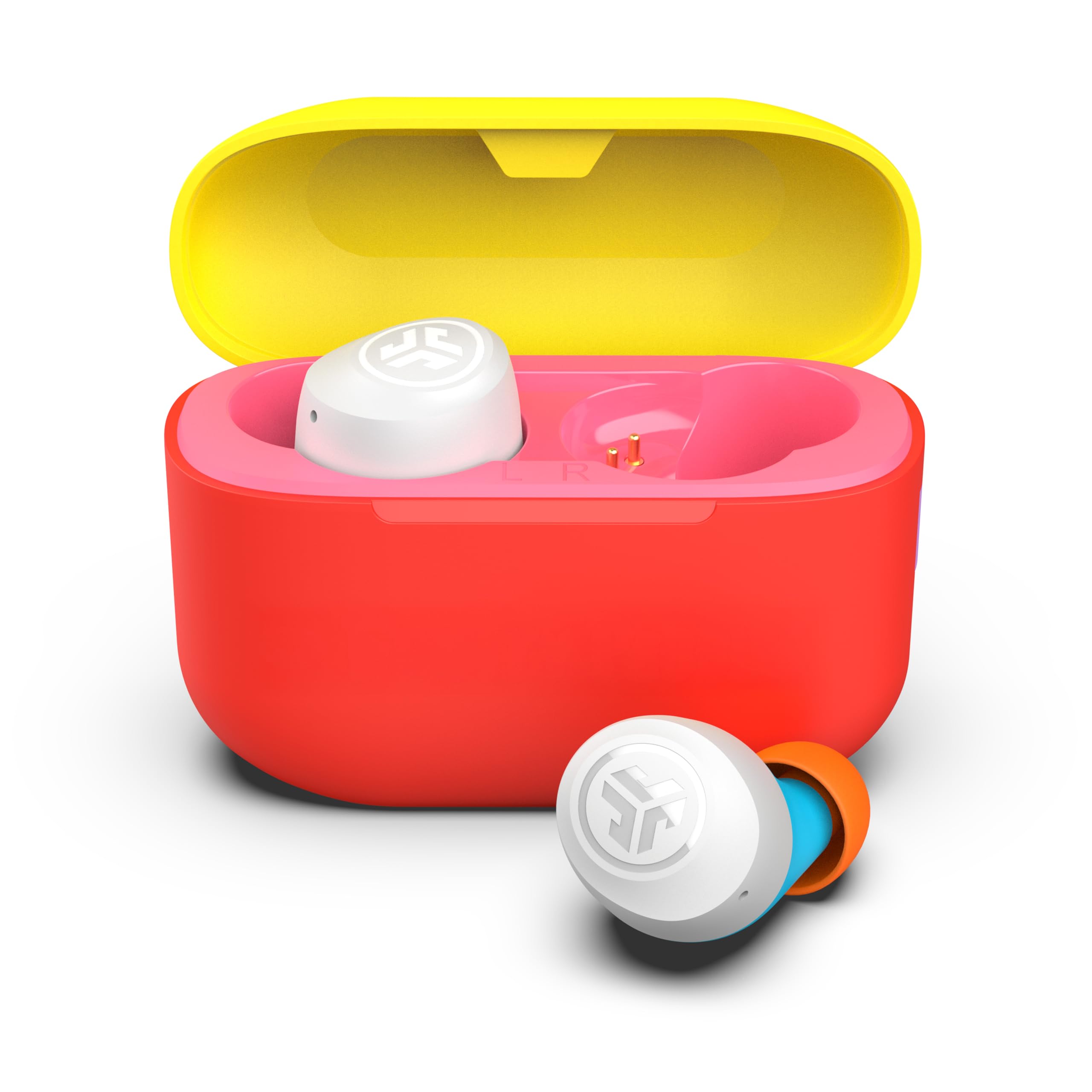
- Dual Connect lets you use either earbud independently, so you can take calls while keeping one ear free.
- Battery life is 9+ hours per earbud and 26+ from the case.
- The JLab App adjusts EQ and touch controls.
Best For: People who want app controls and two-device pairing in a compact in-ear set.
JLab Flex Open Ear
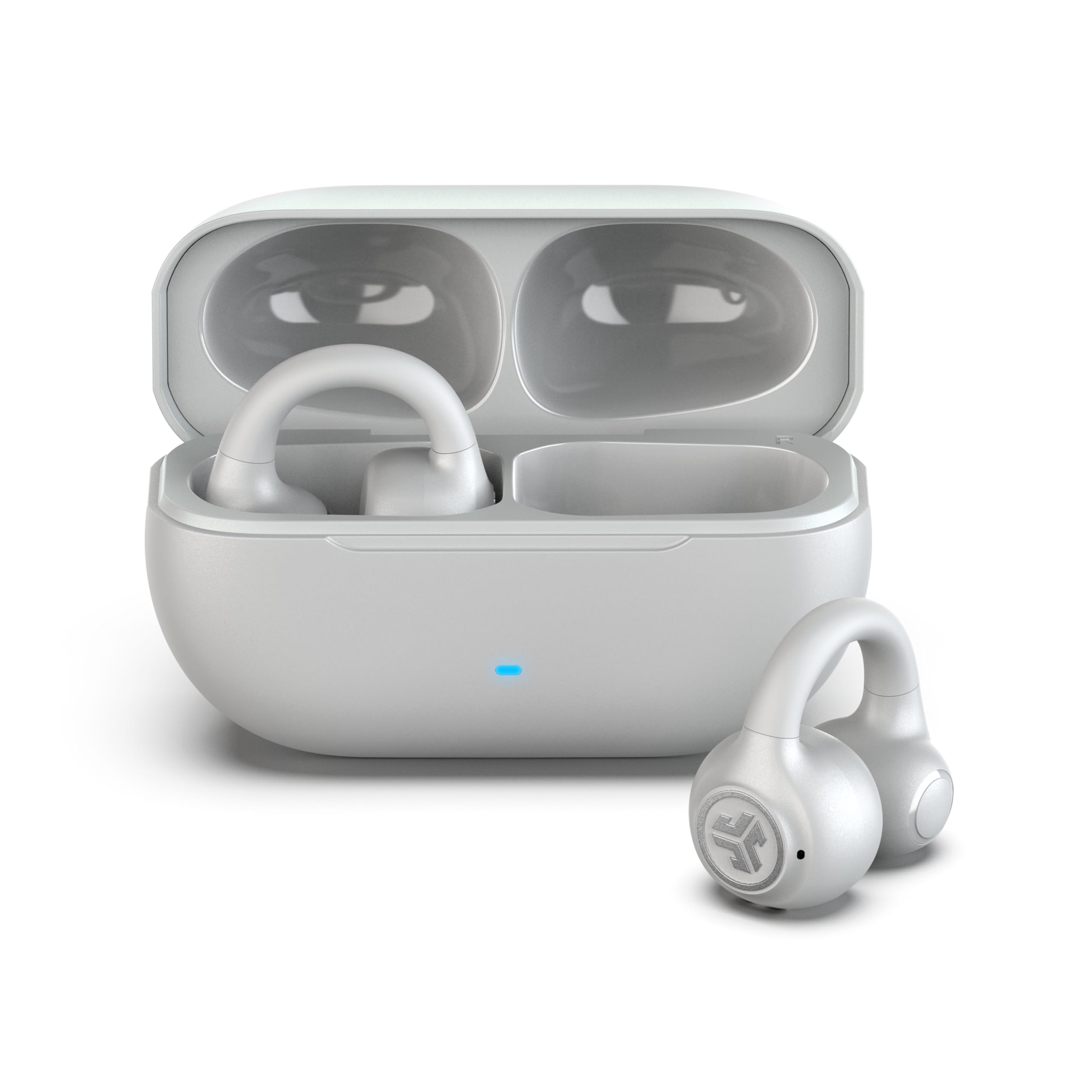
- The clip-on cuff avoids ear tips and pressure inside the canal.
- Multipoint connects two devices simultaneously.
- A MEMS microphone filters background noise for calls.
Best For: Workers who dislike in-ear tips but want open-ear calls and two-device pairing.
Best for Laptop and Phone Switching
SHOKZ OpenFit 2 Open-Ear Headphones,True Wireless Bluetooth Earphones with Microphone,Earhook Earbuds with 48 Hours of Playtime,Fast Charging,IP55 Water-Resistant,with Carrying Bag,Black,Bluetooth5.4
The OpenFit 2 combines an open-ear fit with multipoint pairing, so you can stay aware of nearby conversation while connecting to two devices. Physical buttons handle calls, volume, and track changes, while the Shokz App offers control and EQ customization.
Its dual noise-cancelling mics support calls, but an open-ear design leaves ambient sound more present than sealed earbuds. Battery life is up to 11 hours per charge and 48 hours with the case, with a quick-charge option for short top-ups.
This is a strong fit for a workday split between a laptop and phone, especially when keeping an ear open matters.
Best For: People who move between computer calls, phone calls, and other listening throughout the day.
| Pros | Cons |
|---|---|
|
|
Choose the OpenFit 2 if you want to move between a computer and phone without giving up awareness of the room. The physical controls can be useful when you need to adjust volume or answer a call quickly.
Its open design is less suited to blocking office chatter than noise-isolating earbuds. Check that an earhook fit works for your ears, and consider whether the surroundings are quiet enough for the kind of calls you take.
Best for Long Listening Between Charges
Rythflo Bluetooth Headphones, 150H Playtime Wireless Bluetooth Earbuds w/Mic in-Ear Magnetic Neckband Earphone, IPX7 Sweatproof Deep Bass Headset for Home, Traveling, Outdoor, Business Trips
The Rythflo WH03 uses a magnetic neckband rather than a separate charging case, with in-ear tips and Bluetooth 5.3. Its notes give up to 150 hours of playtime and say a 10-minute charge provides 15 hours of listening.
Those figures may appeal to people who prefer not to recharge earbuds often. The in-ear fit can help reduce distractions compared with an open-ear design, but the product lists no noise control.
It supports phones, tablets, laptops, and desktops, making it a flexible option for common work devices. Check that a neckband suits your routine and that the fit is comfortable for longer sessions.
Best For: Listeners who want a neckband style and long stated playback between charges.
| Pros | Cons |
|---|---|
|
|
Consider the WH03 if long intervals between charging matter more to you than a compact case or a fully wireless feel. Its neckband and in-ear style keep the earbuds connected when not in use, while Bluetooth 5.3 supports a broad mix of work devices.
The product notes do not identify noise reduction or multipoint pairing, so check how you plan to switch devices and whether your workspace is quiet enough for calls.
Best for Noisy Work Areas
ISOtunes Free 2.0 Bluetooth Hearing Protection Earbuds - 25 dB NRR OSHA Approved Earbuds, Wireless Bluetooth Earplug Headphones for Work
The ISOtunes FREE 2.0 is designed around hearing protection and communication for loud environments. It pairs true wireless earbuds with foam and double-flange silicone eartips, a 25 dB NRR, and an 85 dB SafeMax audio limit.
Noise-suppressing microphones are intended to help with calls around steady background noise. The earbuds provide seven hours of continuous battery life, with 14 more from the case, and IP45 resistance for sweat, water, and dust.
These features make it more specialized than ordinary office earbuds. Before choosing it for desk work, consider whether the protective fit and noise isolation are appropriate for your workplace and the conversations you need to hear.
Best For: Workers who need Bluetooth audio and hearing protection features in loud environments.
| Pros | Cons |
|---|---|
|
|
This option makes most sense when work involves loud equipment or a need for hearing protection features, rather than ordinary desk listening. Its SafeMax limit and supplied eartip options are central to the product; they also make fit and intended use important checks.
The notes do not identify multipoint pairing, so confirm how it handles laptop and phone audio before relying on it for frequent device switching.
Best Clip-On for Open-Ear Comfort
SHOKZ OpenDots ONE-Open-Ear Headphones, Clip-On Earbuds-Wireless Bluetooth Earbuds with Microphone-Secure, Lightweight, Comfort-Premium Dolby Audio-Water Resistant-Fast Charging-Up to 40 hrs Playtime
The OpenDots ONE uses a clip-on form that sits at the outer ear, leaving the ear canal open. Each 6.5 g earbud can fit either ear, and the flexible nickel-titanium plate with silicone grip is designed to hold it in place.
The product offers up to 10 hours of listening on a charge and up to 40 hours with the case. Multipoint pairing supports two devices, while the Shokz App adds EQ customization and locating features.
It also supports wireless charging, though quick charge is unavailable that way. This design can suit calls and listening while staying aware of a room, but open-ear sound will not isolate office noise like sealed earbuds.
Best For: People who prefer a clip-on design that leaves the ear canal open.
| Pros | Cons |
|---|---|
|
|
Consider the OpenDots ONE if conventional in-ear tips are uncomfortable or you want to hear nearby activity while listening. Its clip-on construction, interchangeable buds, and multipoint pairing suit a desk routine with multiple devices.
Open-ear listening lets more room sound through, so it is less suited to a noisy office where isolation matters. For faster top-ups, use wired charging because wireless charging does not support quick charge.
Best Clip-On with Precise Controls
SHOKZ OpenDots 2 Open-Ear Clip-On Earbuds with Upgraded Dolby Audio, 3-Mic Clear Calls, Rich Bass, Up to 40 Hrs of Audio, Wireless Charging, Interchangeable Left/Right Earbuds, IP57, Bluetooth 6.1
The OpenDots 2 combines an open-ear clip-on fit with multipoint pairing and an interchangeable left-right design. Three microphones support calls, while the Shokz App adds customization.
Tap controls handle quick actions and pinch controls provide more precise commands. It offers up to 10 hours per charge and up to 40 hours with the case, plus wireless charging.
The open-ear format preserves awareness of nearby activity, making it appealing for workers who need to listen while remaining reachable. It will not provide the isolation of sealed earbuds, so check whether your office is quiet enough for calls and focused audio.
Best For: Open-ear listeners who want multipoint pairing and physical pinch controls.
| Pros | Cons |
|---|---|
|
|
The OpenDots 2 is a good fit if you like a clip-on design and want to move between two paired devices. Its pinch controls may help avoid accidental commands, and the interchangeable buds simplify use.
As an open-ear model, it keeps the room audible rather than sealing it out. Check whether that balance works in your workspace and whether the clip-on shape stays comfortable throughout your workday.
Best Multipoint Pick for a Shared Desk
JLab Go Pop+, True Wireless Earbuds, Bluetooth 5, Dual Connect, IPX4, App Support, Confetti
The Go Pop+ combines in-ear listening, Dual Connect, and Bluetooth multipoint for up to two simultaneous device connections. That gives it a clear work-use angle for people moving between a laptop and phone.
It provides 9+ hours per earbud and 26+ from its USB-C case, with three gel tip sizes and app control for EQ and touch settings. Its IPX4 rating covers sweat and light rain, though that is less relevant to desk use.
The notes do not identify active noise cancellation, so do not count on a dedicated ANC mode for office distraction. Check fit and device switching behavior for your specific work setup.
Best For: People who want app controls and two-device pairing in a compact in-ear set.
| Pros | Cons |
|---|---|
|
|
Pick the Go Pop+ if simultaneous laptop and phone connections are more useful than noise cancellation. Its multipoint feature and app controls support a flexible desk routine, while the supplied tip sizes let you adjust the in-ear fit.
The notes do not describe ANC, so a noisy shared space may remain distracting. Confirm that multipoint works as you expect across your devices and that the fit stays comfortable for long calls.
Best Open-Ear Pick Without Ear Tips
JLab, Flex, Open Ear Earbuds, Clip On Wireless Bluetooth Earbuds, Open Ear Headphones, Cloud White
The JLab Flex uses a clip-on cuff that wraps around the outer ear, with no ear tips or pressure inside the canal. It connects to two devices simultaneously through Bluetooth multipoint, a useful feature for switching between computer and phone use.
The product provides 7+ hours per earbud and 21+ total hours with the case. A MEMS noise-cancelling microphone supports calls, and the JLab App offers EQ and control customization.
Its open-ear speakers help preserve awareness, but also allow office sounds through. Consider this design if in-ear tips are uncomfortable; check that its cuff shape stays secure and that open-air sound is clear enough in your workplace.
Best For: Workers who dislike in-ear tips but want open-ear calls and two-device pairing.
| Pros | Cons |
|---|---|
|
|
Choose the Flex if in-ear tips cause discomfort and you need multipoint for a laptop and phone. The cuff design sits outside the canal, while the app and MEMS microphone add useful call adjustments.
You will hear more of your surroundings, which helps awareness but can make focused listening harder in a busy office. Check cuff comfort and call performance in the places where you work.
How to Choose Wireless Earbuds For Work
How We Picked Wireless Earbuds for Work
Work earbuds need to serve more than music playback. We prioritized candidates with useful call microphones, multipoint pairing, independent earbud use, or listening modes that help balance concentration with awareness.
The roundup also includes a specialized hearing-protection option for loud work settings, since that is a different need from ordinary desk listening.
The included products cover in-ear designs with noise control, open-ear and clip-on designs that keep the canal open, and a neckband style with long stated playback. Sport-oriented earbuds were left out when their main distinction was workout fit or sweat resistance rather than a clear work benefit.
Comparing Wireless Earbuds for Work
For device switching, multipoint appears on options such as the SHOKZ OpenFit 2, OpenFit Pro, OpenDots models, JLab Go Pop+, and JLab Flex. Dual Connect is different: it lets you use one earbud independently, but does not itself establish simultaneous connections to a laptop and phone.
Check which kind of switching your workflow needs.
Open-ear models such as SHOKZ OpenFit 2, OpenDots ONE, and JLab Flex leave ambient sound audible, which can help you stay aware of coworkers. In-ear options such as JLab Go Pop ANC can offer a more enclosed fit, and its ANC and Be Aware modes let you change how much outside sound comes through.
ISOtunes FREE 2.0 is designed for loud environments and hearing protection, so it serves a narrower role.
| Product | Standout features | Best for |
|---|---|---|
| SHOKZ OpenFit 2Check Price |
| People who move between computer calls, phone calls, and other listening throughout the day. |
| Rythflo WH03 Neckband EarbudsCheck Price |
| Listeners who want a neckband style and long stated playback between charges. |
| ISOtunes FREE 2.0Check Price |
| Workers who need Bluetooth audio and hearing protection features in loud environments. |
| SHOKZ OpenDots ONECheck Price |
| People who prefer a clip-on design that leaves the ear canal open. |
| SHOKZ OpenDots 2Check Price |
| Open-ear listeners who want multipoint pairing and physical pinch controls. |
| JLab Go Pop+Check Price |
| People who want app controls and two-device pairing in a compact in-ear set. |
| JLab Flex Open EarCheck Price |
| Workers who dislike in-ear tips but want open-ear calls and two-device pairing. |
Choosing Earbuds for Laptop and Phone Calls
If calls regularly move between a computer and phone, look for multipoint explicitly. JLab Go Pop+ and the open-ear SHOKZ picks identify two-device pairing, while several other earbuds only document independent left or right bud use.
Confirm that your particular laptop and phone can stay connected in the way you expect.
Microphone features differ. The OpenFit 2 has dual noise-cancelling mics, OpenDots 2 has three microphones, and the JLab Flex has a MEMS noise-cancelling mic.
Microphone noise reduction can help with voice pickup, but it does not mean the earbuds block noise for the wearer.
Open-Ear or In-Ear Earbuds for the Office?
Open-ear and clip-on earbuds keep the ear canal open, which can be useful when you need to hear a colleague or announcements. The tradeoff is that nearby office sound remains present.
Clip-on options such as JLab Flex and SHOKZ OpenDots ONE also avoid conventional in-ear tips, but the outer-ear fit needs to feel secure for your workday.
In-ear styles are more enclosed and may suit focused listening better. The Go Pop ANC offers ANC, ANC-off, and Be Aware modes, while the selected JLab Go Pop+ emphasizes multipoint and app-based controls.
If you often switch between quiet desk work and conversations, decide whether noise reduction or easy awareness matters more.
Who Should Buy Which Wireless Earbuds for Work?
Choose the SHOKZ OpenFit 2 or JLab Go Pop+ if connecting two devices is central to your desk routine. Consider the JLab Flex, SHOKZ OpenDots ONE, or OpenDots 2 if you prefer open-ear or clip-on listening and want to stay aware of the room.
The JLab Go Pop ANC is the more natural fit for a compact in-ear set with adjustable noise modes.
For loud work environments, ISOtunes FREE 2.0 is the specialized choice, with hearing-protection features and noise-suppressing microphones. If you prioritize infrequent charging and a neckband design, the Rythflo WH03 has the longest stated playback figure among these picks.
Match the design to your setting, then check fit, device compatibility, and the specific call and noise features you will use.