This JLab JBuds Work review looks at a computer headset built for switching between wired and wireless use, with multipoint Bluetooth and a boom microphone for calls.
JBuds Work Review Summary
The quick verdict

1,000+ ratings
Read Amazon ReviewsJLab JBuds Work
A wired and wireless headset for desk workers who want multipoint connections, long battery life and a boom microphone with quick mute controls.
- Connect wirelessly to a PC, Mac, mobile device and more; multipoint pairs with two devices simultaneously.
- Use the included USB-C to 3.5mm cable for a wired connection.
- More than 60 hours of worktime on one charge.
- Over-ear Cloud Foam earcups and a rotating boom microphone support a call-focused desk setup.

Pros
- Bluetooth multipoint can keep two devices connected at once.
- Plug in the included USB-C to 3.5mm AUX cable for a wired listening option.
Consider before buying
- The over-ear design may not suit buyers who prefer to keep their ears uncovered.
- For frequent calls outdoors, check microphone performance in windy conditions before buying.
Read the full review summary
JBuds Work suits a desk setup that spans a computer and phone.
It connects over Bluetooth to a PC, Mac or mobile device, supports two connected devices at once, and includes a USB-C to 3.5mm cable for wired listening.
That flexibility makes it useful when you want a single headset for laptop calls and phone audio.
Its over-ear Cloud Foam earcups, rotating boom mic and controls on the earcup target long work sessions with frequent calls.
The appeal is practical convenience: more than 60 hours of worktime per charge, quick access to mute and volume, and a red indicator that shows when mute is on.
Choose it if those functions matter more than an open-ear fit.
The buying factors
JBuds Work Scorecard
Editorial scores reflect listed features and buyer fit; they are not laboratory measurements or customer ratings.
Connection flexibility
Bluetooth multipoint handles two devices simultaneously, and the included cable provides a wired option through USB-C to 3.5mm.
Battery life
More than 60 hours of worktime per charge is a strong fit for buyers who prefer infrequent charging.
Call controls
The boom mic can be raised or lowered to manage calls, while an earcup button mutes the microphone and a red LED makes mute status visible.
Microphone features
A two-microphone arrangement is designed to reduce environmental sound and pick up the speaker's voice, which is a useful call-focused setup.
On-head design
Over-ear Cloud Foam earcups and a rotating boom offer a work-oriented layout, though buyers seeking an open-ear style should consider their fit preference.
Everyday controls
The headset provides playback, call, volume, mute and track controls, along with Voice and Music EQ modes.
Key Features and Specifications of JBuds Work
- Connect wirelessly to a PC, Mac, mobile device and more; multipoint pairs with two devices simultaneously.
- Use the included USB-C to 3.5mm cable for a wired connection.
- More than 60 hours of worktime on one charge.
- Over-ear Cloud Foam earcups and a rotating boom microphone support a call-focused desk setup.
- Raise or lower the boom mic to hang up or answer a call; mute with the earcup button and check the red LED indicator.
- Switch between Voice and Music EQ modes, with playback, call, volume, mute and track controls on the headset.
Pros and Cons of JBuds Work
Pros
- Bluetooth multipoint can keep two devices connected at once.
- Plug in the included USB-C to 3.5mm AUX cable for a wired listening option.
- More than 60 hours of worktime per charge supports extended use between charges.
- Mute has a physical button and a visible red LED indicator.
Consider before buying
- The over-ear design may not suit buyers who prefer to keep their ears uncovered.
- For frequent calls outdoors, check microphone performance in windy conditions before buying.
Who Should Buy JBuds Work?
Good fit
Choose JBuds Work for a desk setup where you move between a computer and phone. Bluetooth multipoint connects two devices simultaneously, and the included Type-C to 3.5mm AUX cable gives you a wired option.
It also fits buyers who want a boom microphone with straightforward call handling.
Raising or lowering the mic can end or answer calls, and the earcup mute button has a red indicator for checking mute status at a glance.
The more than 60-hour worktime per charge is a useful match for a busy workweek, while Voice and Music EQ modes cover calls and listening sessions.
Who should skip it
Skip it if an open-ear design is important to you. JBuds Work is an over-ear headset with Cloud Foam earcups, so it is built around covering the ears during use.
If your work calls happen outdoors, weigh the microphone setup against your needs and check wind performance before relying on it for frequent calls.
JBuds Work Review: Connectivity, Calls and Workday Fit
A headset for mixed-device desks
Multipoint is the key convenience for a desk where both laptop and phone matter: JBuds Work can connect to any two devices simultaneously, and the included Type-C to 3.5mm AUX cable gives you another way to connect.
That can make it easier to move between devices without switching headsets.
Call handling without menu digging
The boom mic doubles as a call control: lower it to answer and raise it to hang up.
A dedicated mute button and red LED make mute status easier to check during a meeting, while the rotatable boom can move out of the way for listening.
Worktime and comfort tradeoffs
The 60-plus-hour workweek claim and Cloud Foam earcups position JBuds Work for long desk stretches between charges.
Over-ear cups can feel enclosing compared with open-ear headsets, so fit preference is worth considering if you want to stay more aware of nearby conversation.
Alternatives to JBuds Work
Quick-charge alternative
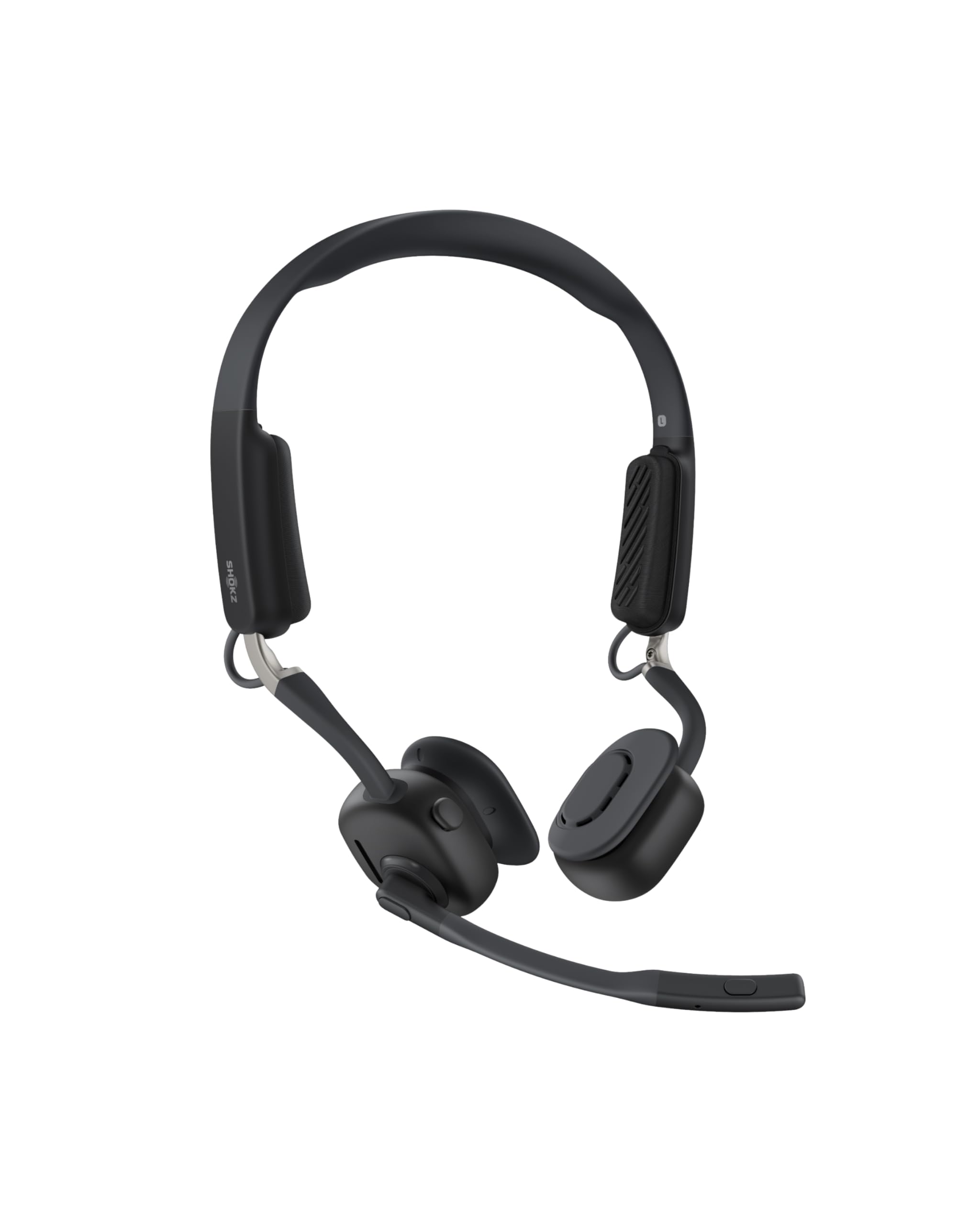
100+ ratings
Read Amazon ReviewsSHOKZ OpenMeet C610
Consider OpenMeet if an open-ear fit matters more than JBuds Work's over-ear design; choose JBuds Work if its more than 60 hours of worktime per charge better suits your charging routine.
- OpenMeet has an open-ear design, a customizable fit and up to 15 hours of battery life per charge; its five-minute fast-charge feature provides two hours of talk time.
- JBuds Work uses an over-ear fit with Cloud Foam earcups and provides more than 60 hours of worktime per charge.
Battery-focused alternative

1,000+ ratings
Read Amazon ReviewsJLab Go Work Pop
Choose Go Work Pop if you want a lighter on-ear style and a boom mic that tucks away; JBuds Work is the fit for buyers who prefer over-ear cups and want the longer stated worktime.
- Go Work Pop uses an on-ear design with Cloud Foam earcups and a rotating boom mic that tucks away when not in use.
- It offers more than 50 hours of wireless playtime per charge.
- JBuds Work has over-ear Cloud Foam earcups and more than 60 hours of worktime on one charge.
Is JBuds Work Worth It?
JBuds Work is worth considering if you want a flexible computer headset for a work desk: it combines Bluetooth multipoint, a wired cable, a boom microphone with mute-status light and more than 60 hours of worktime per charge.
Voice and Music EQ modes add a simple choice between call and listening profiles.
It is best for buyers who prefer an over-ear setup and frequently switch between computer and phone. If you want an open-ear fit, or need confidence in microphone behavior outdoors, consider those needs carefully before choosing.
For desk calls and mixed wired/wireless use, the feature set is well aligned with everyday work.
Your review at a glance
1,000+ ratings
Read Amazon ReviewsJLab JBuds Work
A wired and wireless headset for desk workers who want multipoint connections, long battery life and a boom microphone with quick mute controls.
- Connect wirelessly to a PC, Mac, mobile device and more; multipoint pairs with two devices simultaneously.
- Use the included USB-C to 3.5mm cable for a wired connection.
- More than 60 hours of worktime on one charge.
- Over-ear Cloud Foam earcups and a rotating boom microphone support a call-focused desk setup.